Acesso aos Prompts das Aulas
Acesso aos Prompts das Aulas, materiais de apoio e recursos exclusivo que comento no canal Leone Universo IA. Todos os prompts em um só lugar
Esta página foi criada para reunir o Acesso aos Prompts das Aulas, materiais de apoio e recursos complementares
Sempre que um vídeo exigir um prompt mais longo, uma configuração específica ou algum material extra para facilitar a aplicação prática do conteúdo, ele será disponibilizado nesta seção para que você possa copiar, testar e adaptar às suas necessidades.
O objetivo é centralizar todos os recursos utilizados nas aulas em um único lugar, facilitando o acesso e permitindo que você aproveite ao máximo cada conteúdo publicado no canal. Organizados por # de acordo com o comentário do vídeo 💡
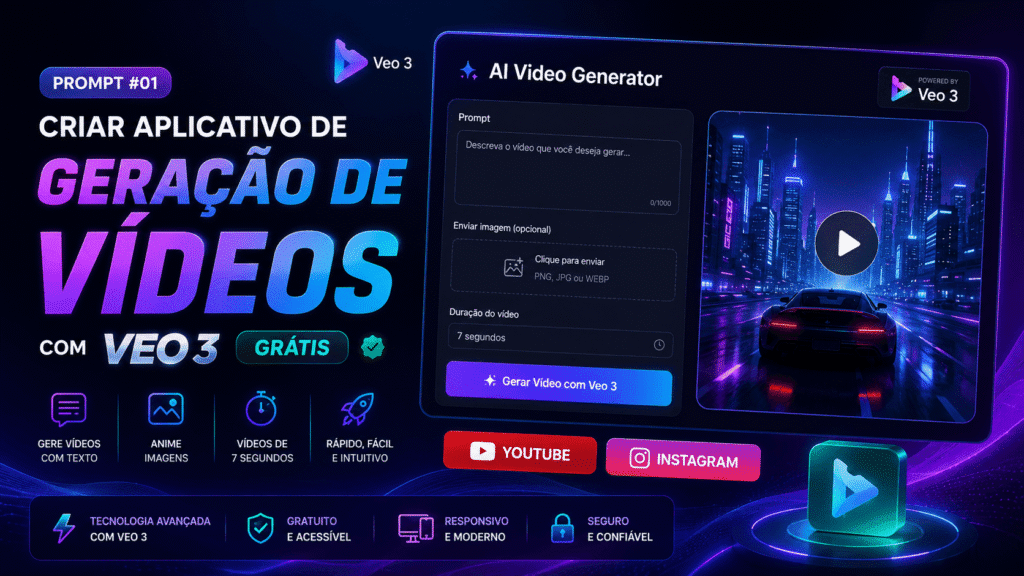
Prompt #01 – Criar Aplicativo de Geração de Vídeos com Veo 3 Grátis
Através deste prompt você vai conseguir criar aplicativo de geração de vídeos com Veo 3 grátis
O que este prompt cria
- Interface moderna
- Upload de imagem
- Integração com Veo 3
- Geração de vídeo por texto
- Animação de imagens
- Botões para YouTube e Instagram
- Layout responsivo
Prompt completo abaixo, lembrando que expliquei NESTE VÍDEO como fazer!
Create a modern and professional video generation web app using Veo 3.
UI/UX DESIGN:
- Use a clean, responsive layout with a centered container.
- Apply a modern design style (rounded corners, soft shadows, minimalistic spacing).
- Include a clear title at the top: “AI Video Generator”.
- Add subtle animations for hover and interactions.
FUNCTIONALITY (KEEP EXACT BEHAVIOR):
- Include a text input field for prompt-based video generation.
- Include an image upload button to allow users to upload an image.
- Connect BOTH the text input and uploaded image to a Veo 3 node.
- Ensure the system can:
- Generate a video from text input
- Animate the uploaded image
- Set video output duration to exactly 7 seconds.
- Keep all existing logic and functionality unchanged.
BUTTONS (SOCIAL LINKS):
- Add two prominent buttons below the main input area:
- YOUTUBE BUTTON:
- Background color: red
- Text: “YOUTUBE”
- Text color: white with subtle black shadow for contrast
- Style: rounded corners, slight hover scale effect
- On click: open in a new tab → https://www.youtube.com/@leoneuniversoia
- INSTAGRAM BUTTON:
- Background color: pink
- Text: “INSTAGRAM”
- Text color: white with subtle black shadow
- Style: same as YouTube button for consistency
- On click: open in a new tab → https://www.instagram.com/leoneuniversoia/
LAYOUT DETAILS:
- Position buttons side by side (or stacked on mobile).
- Ensure spacing is balanced and visually appealing.
- Maintain accessibility (readable contrast, proper sizing).
OUTPUT:
- The app should remain simple, fast, and intuitive.
- Preserve original functionality while improving visual presentation.
Acesso aos Prompts das Aulas – #02 em diante abaixo

Sobre o autor Leone - Universo IA | Website
Criador de conteúdo focado em inteligência artificial e Influencers IA

Seja o primeiro a comentar!